Understanding the Power of TradingView
In today's fast-paced trading environment, making informed decisions requires access to real-time data and advanced analytical tools. TradingView has emerged as a leading platform for traders and investors, offering comprehensive market insights across multiple asset classes. This article explores the core features, functionalities, and advantages of TradingView, and how it enhances trading experiences for both novice and professional traders alike.
What is TradingView and Its Core Features?
TradingView is a powerful web-based platform that provides a variety of tools for market analysis, including real-time stock charts, technical indicators, and a community-driven environment for sharing ideas and strategies. Among its core features, TradingView offers:
- Multi-Market Data: Access to real-time data from stocks, cryptocurrencies, forex, and more.
- Advanced Charting Tools: A range of customizable charts and technical indicators to enhance analysis.
- Social Networking: A community of traders who share insights, strategies, and market commentary.
- Alerts and Notifications: Create custom alerts for price movements and technical conditions to stay informed.
How TradingView Enhances Market Analysis
TradingView is designed for traders seeking intuitive and sophisticated analysis tools. Users can customize charts with various indicators like moving averages, MACD, and Fibonacci retracements. The ability to view multiple timeframes allows users to analyze trends and patterns effectively. Additionally, the platform supports scripting through Pine Script, enabling users to develop custom indicators and strategies which can be shared within the community.
Benefits of Real-Time Alerts and Notifications
One of the standout features of TradingView is its real-time alert system. Traders can set price alerts that notify them instantly when a stock or cryptocurrency reaches a specific price point. This functionality is crucial for those who cannot continuously monitor the markets. Alerts can also be set for conditions based on technical indicators, allowing for automated notifications when market conditions align with a trader's strategy.
Effective Chart Analysis Techniques
Customizing Your TradingView Charts
The customization capabilities in TradingView charts are extensive. Users can choose from several chart types including candlestick, line, and bar charts. Each type offers unique insights, and traders can overlay indicators such as Bollinger Bands or RSI to create a comprehensive view of market conditions. Customization options also extend to colors, grid lines, and layouts, catering to individual preferences and enhancing visual clarity.
Utilizing Indicators for Better Decision Making
Indicators play a crucial role in technical analysis and TradingView provides a robust library of over 100 built-in indicators. Traders can also access thousands of community-created indicators, offering insights and strategies beyond the basic tools. By incorporating these indicators into their analysis, users can better discern market trends and potential entry or exit points.
Multi-Timeframe Analysis with TradingView
Effective trading often requires analyzing price movements across multiple timeframes. TradingView allows users to easily switch between different time intervals—from one minute to daily and beyond—enabling a comprehensive analysis of price behavior. This feature is particularly useful for traders looking to align short-term trades with longer-term trends.
Setting Up Alerts and Notifications
Creating Price Alerts and Technical Alerts
Setting up alerts in TradingView is straightforward. Users can initiate alerts for specific price levels or technical event conditions. For example, a trader might want to be alerted when a stock's price crosses above a moving average. The flexibility in the alert system ensures that traders can tailor notifications to fit their strategies precisely.
Using Watchlists for Market Monitoring
TradingView allows users to create personalized watchlists to monitor selected securities. This feature is essential for traders who wish to track multiple assets at once. Watchlists can be organized by industry, market cap, or any criteria the user chooses, making it easier to stay informed about potential trading opportunities.
Best Practices for Alert Configuration
To get the most out of TradingView's alert system, traders should employ best practices when configuring alerts. Here are a few tips:
- Prioritize Alerts: Set alerts only for the most critical price levels or technical conditions to avoid notification fatigue.
- Use Clear Descriptions: Label alerts clearly so you can easily identify their purpose when notified.
- Test Alerts: Regularly review and test your alerts to ensure they function as intended.
Cross-Platform TradingView Experience
Desktop vs. Mobile: Choosing the Right Version
TradingView is available on various platforms, including desktop (Windows, macOS, and Linux) and mobile devices (iOS and Android). While both versions offer similar functionalities, traders should consider their individual needs when choosing between them. The desktop version is ideal for those who require advanced features and multi-screen setups, while the mobile app caters to traders on the go.
Syncing Across Devices for Seamless Trading
One of the standout features of TradingView is its ability to sync across devices. This means users can begin their analysis on a desktop and seamlessly continue on a mobile device without losing any data. This cross-platform functionality is ideal for traders who need flexibility in their trading routines.
Maximizing Multi-Screen Features on TradingView
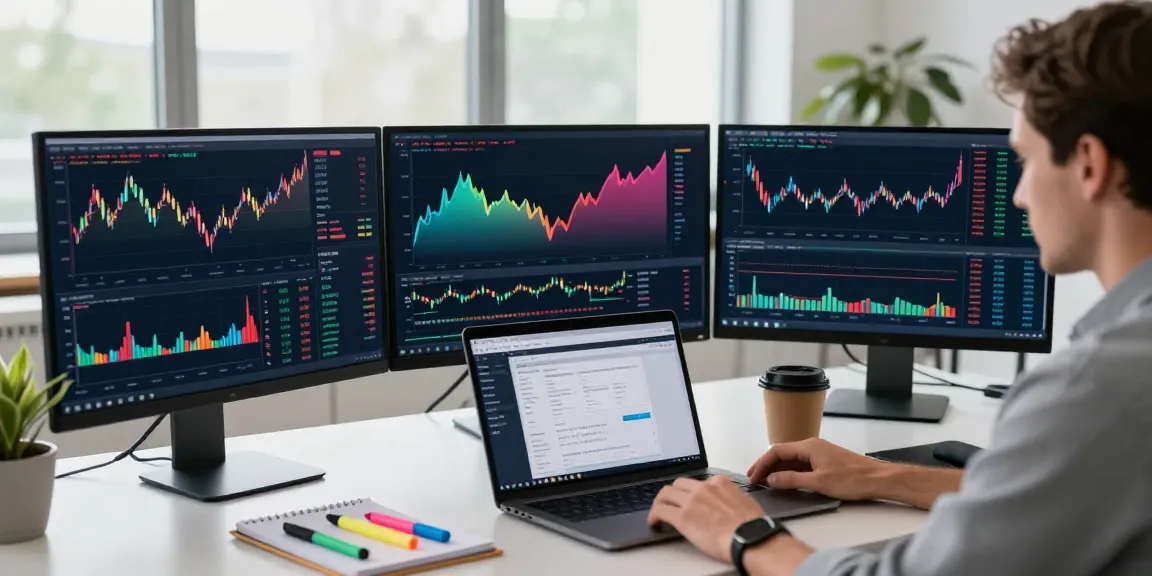
For traders who use multiple screens, TradingView offers functionalities that enhance the multi-screen experience. Users can open multiple charts simultaneously and link them for synchronized analysis. This setup is beneficial for high-frequency trading or for those analyzing different assets side by side.
Future Trends in Trading and TradingView
Emerging Market Strategies in 2026
As the trading landscape evolves, various trends are emerging that shape how traders approach the markets. In 2026, we can expect increased integration of automated trading strategies and artificial intelligence into trading platforms. TradingView is well-positioned to adapt to these changes, offering tools that enhance and streamline the trading process.
Integrating AI in Trading Analysis
Artificial intelligence is becoming a game changer in trading analysis. Platforms like TradingView are beginning to incorporate AI-driven tools that provide predictive analytics and trading signals based on vast amounts of data. This integration could revolutionize how traders analyze market conditions and make decisions.
Adapting to New Trading Regulations Globally
With the evolving regulatory landscape, traders must remain informed about changes that could impact their strategies. TradingView is expected to continue adapting to new regulations, ensuring that users have access to compliant and robust tools for their trading endeavors.
What are the key benefits of using TradingView?
The key benefits of using TradingView include access to real-time market data, advanced charting tools, social trading features, and customizable alerts. This multifaceted approach makes it ideal for traders of all experience levels, enhancing their ability to make informed decisions.
How to effectively create alerts on TradingView?
To effectively create alerts on TradingView, users should familiarize themselves with the alert configuration settings. Prioritize key price levels or technical signals, and utilize clear descriptions for each alert to ensure clarity when notified.
What devices support TradingView?
TradingView supports a variety of devices, including Windows, macOS, and Linux desktops, as well as mobile operating systems like iOS and Android. This versatility allows traders to access their tools wherever they are.
What makes TradingView suitable for professional traders?
TradingView is suitable for professional traders due to its comprehensive toolset, including advanced charting capabilities, real-time data analysis, and a collaborative community to share insights and strategies. These features provide a competitive edge in fast-moving markets.
Is TradingView better used on desktop or mobile?
The choice between desktop and mobile versions of TradingView depends on user preference and trading style. The desktop version offers more extensive features and multi-screen capabilities, while mobile is ideal for traders who require on-the-go access to their analysis tools.